


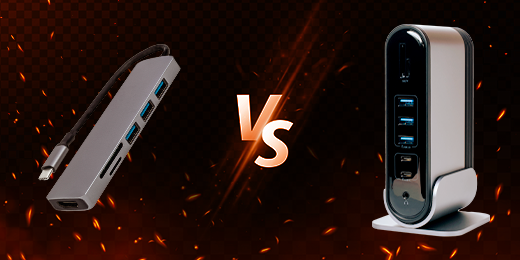
Understanding the Difference Between USB Hubs and Docking Stations, and Which Is Best for You

Anyone who has had access to a computer or laptop for a significant amount of time is bound to find themselves needing to make tough decisions about what should be plugged into the PC and what can take a back seat. Unfortunately, sometimes you really do need more than the two USB ports that are available on a laptop, or up to 6 on the desktop if you’re lucky. And with the current rapid advancement in technology, the USB port alone is barely enough.
In the world of computer peripherals, two devices often come up in the discussions about extended connectivity: USB hubs and docking stations. While they may seem similar at first glance, they serve distinct purposes and cater to different user needs. The one you decide to add to your setup will completely depend on what you usually use your PC for, or your budget. Let’s delve into the nuances of each and explore their possible target markets to figure out which would be best for you.
USB Hub: For Expanding Your Connection
As mentioned above, a traditional PC offers two basic ports in the back commonly used to connect a mouse and keyboard, and you may have two additional ports for an external hard drive and perhaps your phone charger. However, older generation computers and laptops don’t come with a built-in USB Type-C port, which is becoming increasingly common. This is where a device like the USB Hub thrives.
USB hubs are straightforward devices designed to expand the number of USB ports available on a computer. Whether you’re running out of ports on your laptop or desktop, a USB hub comes to the rescue by providing additional connections for peripherals like printers, external hard drives, keyboards, and more. Their simplicity and affordability make them a popular choice for users who require basic port expansion without the need for additional features.
USB hubs appeal to a broad audience including students and work professionals who need to connect multiple USB devices simultaneously. And as Marina Tech explains in her comparison of the two products, USB hubs are more convenient to use because they’re smaller and more lightweight than docking stations. They are especially handy for individuals with laptops or desktops lacking in USB ports, offering a simple solution to expand connectivity.
Docking Station: An All-in-One Connectivity Solution
Docking stations, on the other hand, offer a comprehensive solution for connecting various peripherals to a laptop or desktop. While they may include additional USB ports like a USB hub, docking stations go beyond mere port expansion. They typically feature a wider range of connectivity options such as HDMI or DisplayPort for connecting external monitors, or audio jacks for speakers and headphones. A docking station also allows you to connect ethernet ports for wired internet connection, and they may sometimes even include slots for memory cards.
Docking stations cater to users who require a centralized hub for their workstation setup, and some stations can have close to 20 individual ports that cater to a range of specific needs. Professionals working in office environments or individuals who frequently switch between a mobile and stationary setup benefit from the versatility and convenience offered by docking stations. They streamline the process of connecting multiple peripherals, providing an efficient solution for productivity and versatility.
So, Which Is Best for You?
When deciding between a USB hub and a docking station, it’s essential to consider your specific needs and usage scenarios. If you simply need to expand USB connectivity for basic peripherals, and you don’t have an insane budget to work with, then the USB hub might suffice. However, if you require a more comprehensive solution with additional connectivity options for a workstation setup, investing in a docking station is the way to go.
USB hubs are also more accessible and can retail for as little as $10 in some cases. On the other hand, some of the best docking stations have a starting price that’s somewhere closer to $100. so you do have to consider whether you really need it or if it’s just a want.
While both USB hubs and docking stations serve to enhance connectivity, they serve different purposes and cater to distinct user needs. Whether you opt for a USB hub or a docking station, both devices serve to enhance your computing experience by providing the connectivity you need to stay productive and efficient in the digital age. Understanding their differences allows you to make an informed decision based on your requirements, ultimately maximizing your productivity and convenience in the digital realm.
So, assess your needs, weigh your options, and make an informed decision that best suits your workflow and budget.
Más vendidos


REDMAGIC Magic Sound Earphones(USB-C)
- Precio regular
- Mex$ 549.00
- Mex$ 549.00
- Precio regular
-
Mex$ 549.00


REDMAGIC Cryo Cooler 8 Pro
- Precio regular
- Desde Mex$ 1,399.00
- Desde Mex$ 1,399.00
- Precio regular
-


REDMAGIC 11S / 11 Pro Protective Case
- Precio regular
- Mex$ 336.00
- Mex$ 336.00
- Precio regular
-
Mex$ 435.00